eduroam Network Installation
Getting eduroam to work on Linux is more painful than it should be. Every “official” method I tried failed; the connection would just hang during the TLS handshake and never connect. I eventually figured out a manual setup that works reliably and wrote a script around it. Sharing it here so you hopefully don’t have to go through the same process.
What doesn’t work
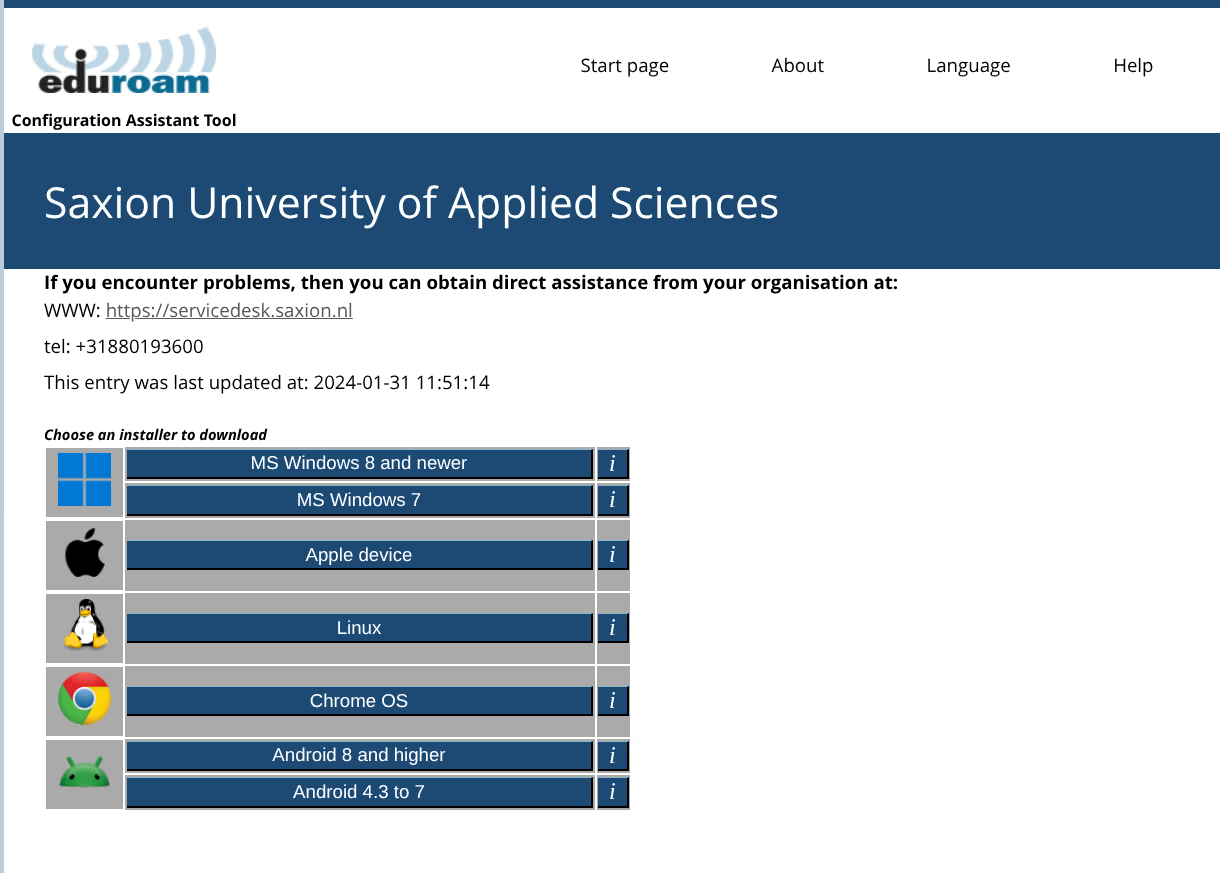
cat.eduroam.org installer (official)
The Python installer from cat.eduroam.org provides a graphical interface and creates a connection profile. On some recent Linux distributions, the connection may hang during the TLS handshake due to changes in NetworkManager.
geteduroam Linux app (official)
The geteduroam Linux app (CLI and GUI RPM) may also experience connection issues on some recent distributions.
easyroam-linux (community)
easyroam-linux by jahtz may not work on all distributions.
UvA/HvA Linux eduroam guide
The guide at linux.datanose.nl (UvA/HvA) may not result in a working connection on all recent systems.
What does work
PEAP/MSCHAPv2 validated against Saxion’s own certificate authority, pinned inside the
script, plus domain-suffix-match (the modern replacement for the deprecated
altsubject-matches).
The script used to point at the system trust store, which meant any of the roughly 150
public CAs your distribution ships could vouch for a server calling itself
ise.infra.saxion.net. It now trusts only the chain Saxion publishes through eduroam
CAT — USERTrust RSA Certification Authority and GEANT OV RSA CA 4 — which is what the
official CAT installers do.
Requirements:
- Python 3.10+
- NetworkManager 1.8+ (
nmcli)
Connection settings
| Setting | Value |
|---|---|
| Security | WPA & WPA2 Enterprise |
| Authentication | Protected EAP (PEAP) |
| PEAP version | Automatic |
| Inner authentication | MSCHAPv2 |
| CA certificate | Saxion’s published chain, written to ~/.config/saxion-eduroam/saxion-eduroam-ca.pem |
| Domain validation | domain-suffix-match: ise.infra.saxion.net |
| Phase2 domain validation | phase2-domain-suffix-match: ise.infra.saxion.net |
| Anonymous identity | anonymous@saxion.nl |
| Identity | user@institution.tld |
Automated setup (recommended)
A Python script automates the full nmcli connection setup for Saxion:
# 1. Download
curl -LO https://zephyrus-linux.stensel.nl/scripts/saxion-eduroam.py

# 2. Verify checksum
echo "fad48d500af6eb90deec5e0e21ccf7cbaaac6678b5d3e8cb4f26d814c525e3d2  saxion-eduroam.py" | sha256sum -c

# 3. Run
python3 saxion-eduroam.py
SHA256: fad48d500af6eb90deec5e0e21ccf7cbaaac6678b5d3e8cb4f26d814c525e3d2
The script removes any existing eduroam profile, prompts for your username via a GUI dialog (zenity, kdialog, or yad) or terminal fallback, and activates the connection. Your password is never asked by the script; it is requested by your GNOME Keyring at connection time and stored securely, never in plaintext.
ise.infra.saxion.net). For other institutions, use the official CAT script from cat.eduroam.org as a starting point.If everything goes well, you should see something like this:
Source: saxion-eduroam.py
Manual setup via nmcli
password-flags 1 instead, which stores the password securely in GNOME Keyring. Both approaches work; the script’s method is more secure.nmcli connection add \
type wifi \
con-name "eduroam" \
ssid "eduroam" \
wifi-sec.key-mgmt wpa-eap \
802-1x.eap peap \
802-1x.phase2-auth mschapv2 \
802-1x.identity "user@institution.tld" \
802-1x.password "your-password" \
802-1x.anonymous-identity "anonymous@saxion.nl" \
802-1x.ca-cert file://$HOME/.config/saxion-eduroam/saxion-eduroam-ca.pem \
802-1x.domain-suffix-match "ise.infra.saxion.net" \
802-1x.phase2-domain-suffix-match "ise.infra.saxion.net"Then connect:
nmcli connection up eduroamManual setup via GNOME Settings
- Open Settings → Wi-Fi
- Select eduroam
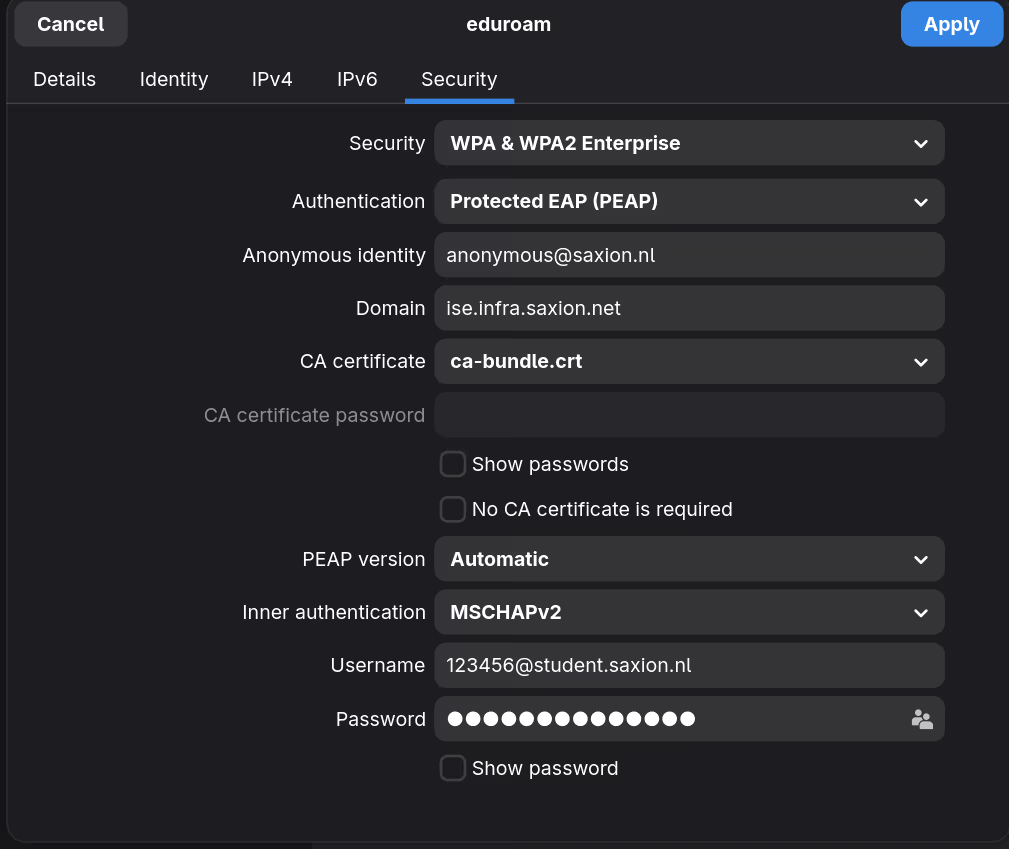
- Go to the Security tab and fill in the settings from the table above
- Enter your institutional credentials
- Click Apply
Here’s what the Security tab should look like:
Removal
nmcli connection delete eduroam